
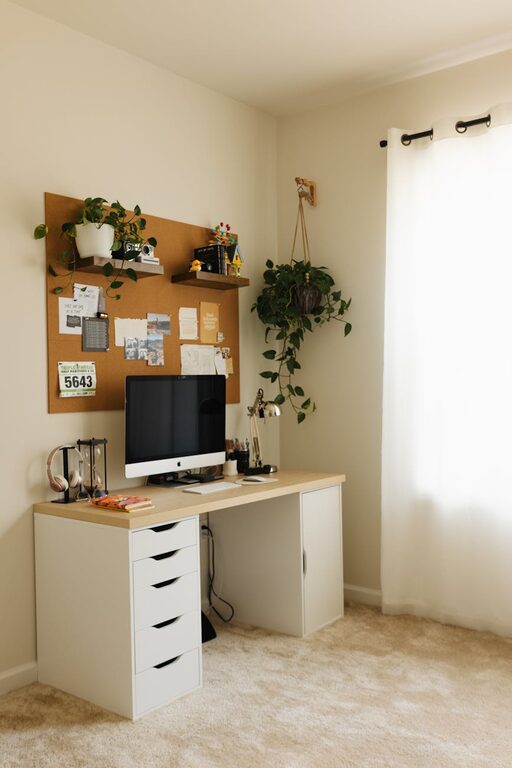
Creating a home office that is both cozy and functional can greatly enhance your productivity and overall work experience. Whether you work remotely full-time or occasionally need a dedicated spot for tasks, designing a space that feels inviting and supports your workflow is essential. Here are practical tips to help you set up a comfortable, efficient home office tailored to your needs.
Choose the Right Location
Starting with the right spot is key to a successful home office setup.
– Quiet and Private: Select a place in your home away from high-traffic areas to minimize distractions. A spare bedroom, nook, or even a corner in your living room can work well.
– Natural Light: Whenever possible, position your desk near a window. Natural light can boost mood and reduce eye strain.
– Space for Essentials: Make sure there’s room for your desk, chair, and necessary equipment without feeling cramped.
Invest in Ergonomic Furniture
Comfort plays a major role in staying focused during long working hours.
– Ergonomic Chair: Choose a chair that supports your back and encourages good posture. Adjustable height and lumbar support are helpful features.
– Desk Height: Your desk should be at a height where your arms can rest comfortably with elbows at about a 90-degree angle.
– Consider a Sit-Stand Desk: Switching between sitting and standing can improve circulation and reduce fatigue.
Optimize Lighting
Lighting affects both your energy levels and eye comfort.
– Layered Lighting: Combine natural light with overhead lights and a desk lamp to reduce shadows.
– Avoid Glare: Position your screen perpendicular to windows to avoid glare, or use blinds or curtains to control sunlight.
– Warm vs. Cool Light: A mix of warm and cool light can create a balanced, inviting atmosphere.
Organize for Efficiency
Clutter can hinder your focus and increase stress.
– Declutter Regularly: Keep only the items you need on or near your desk.
– Storage Solutions: Use shelves, filing cabinets, or baskets to store papers and supplies neatly.
– Cable Management: Use clips or sleeves to keep cords tidy and prevent tangling.
Personalize Your Space
Adding personal touches makes your office feel welcoming and motivating.
– Decor: Incorporate artwork, plants, or meaningful objects that inspire you.
– Color Choices: Use colors that promote calm and concentration, such as soft blues, greens, or neutrals.
– Comfort Items: A cozy throw or cushion can add warmth without sacrificing professionalism.
Improve Technology Setup
Reliable technology ensures smooth workflow.
– Quality Equipment: Invest in a good monitor, keyboard, mouse, and headset to reduce strain and improve efficiency.
– Fast Internet: Use a stable internet connection to avoid interruptions during video calls or downloads.
– Backup Power: Consider a surge protector or UPS to protect your devices and prevent data loss.
Maintain Boundaries
Separating your work and personal life helps maintain balance.
– Set Work Hours: Define and stick to specific work times to avoid burnout.
– Door or Divider: If possible, close a door or use a room divider to signal work time.
– End-of-Day Routine: Develop habits to physically and mentally switch off from work mode.
Add Comfort Features
Small touches can make your office a pleasant place to spend time.
– Temperature Control: Use fans, heaters, or air purifiers to keep the environment comfortable.
– Sound Management: Consider noise-canceling headphones or soft background music.
– Refreshment Station: Keep water or snacks handy to stay refreshed without frequent trips.
Final Thoughts
A cozy and functional home office doesn’t require a large space or expensive items. By focusing on comfort, organization, and a pleasant atmosphere, you can create a workspace that supports productivity and well-being. Experiment with different arrangements and elements until you find what works best for you—your ideal home office awaits!